See. Decide. Act. Remember.

Plan capture, analyze field data and share results. Use the full workflow or just the parts you need.

Simulation recorded in BaseState.
Imagery: Northern Drone

One loop, from capture to customer feedback.

Your people make every call.

Use BaseState end to end, or connect the parts you need to your existing systems.

Capture

  • Plan shot sheets for drones or phones in BaseState
  • Track available devices and their capabilities
  • Follow capture live or upload existing data
  • Automate drone capture with systems such as Rogue Cortex

Your call Plan and approve the capture.

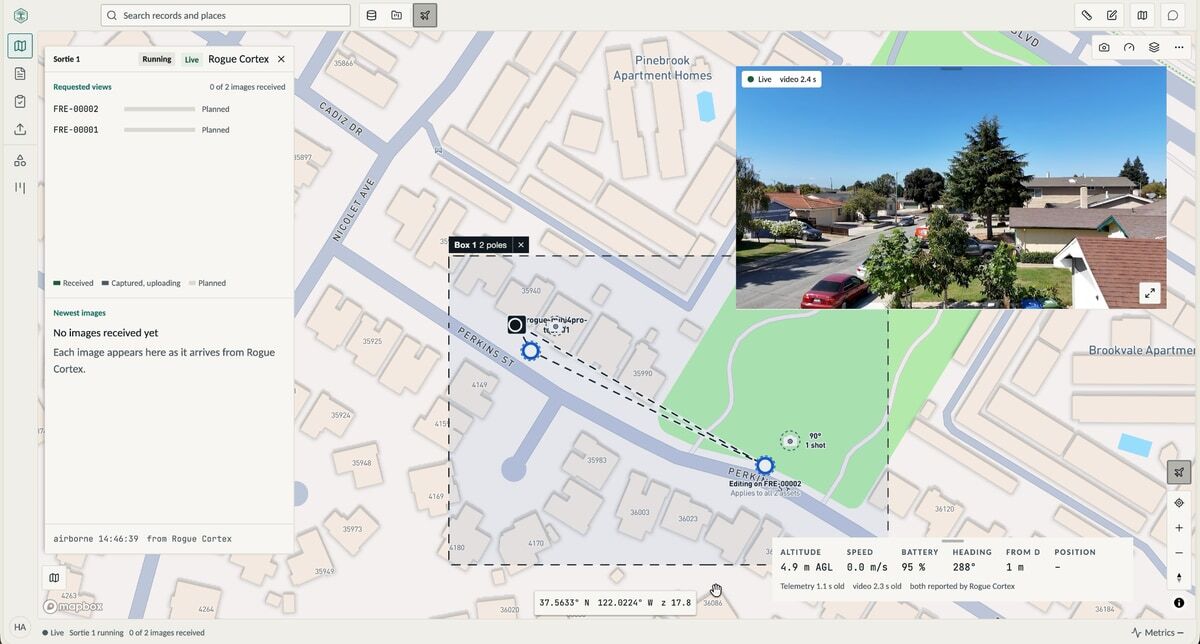
BaseState mission planning beside live drone video and telemetry from the autonomous flight.
Autonomous capture demonstration.

Analyze

  • Ask the AI about your site or assets
  • Go straight to the asset, imagery or simulation
  • Inspect findings against the source data

Your call Choose the question. Inspect the evidence.

Physics-based simulation, explored with AI.Imagery: Northern Drone

Report

  • Build from data, analysis and findings
  • Generate and save templates to fill next time
  • Review and approve before sharing

Your call Review, revise and approve.

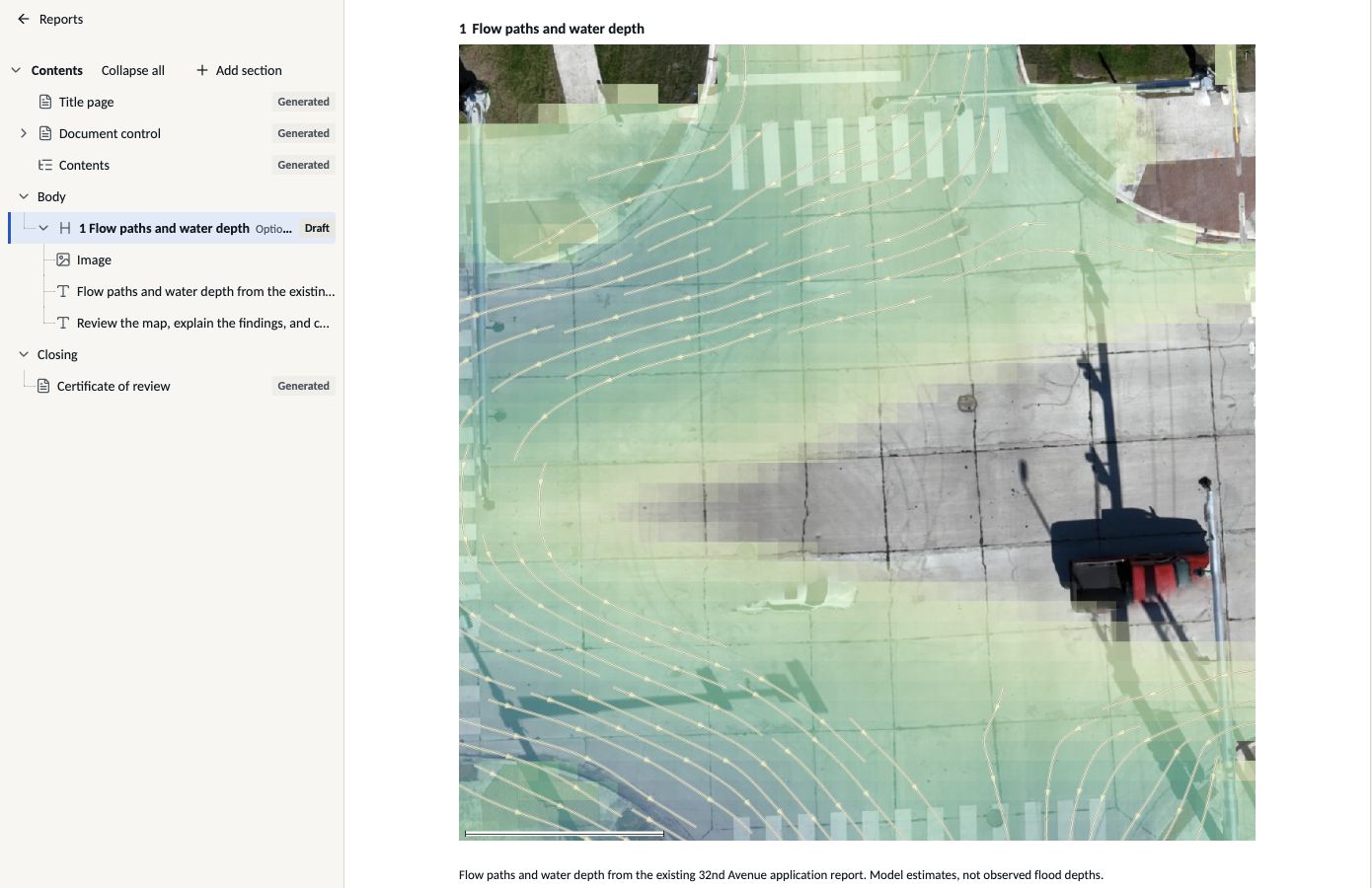
Building the 32nd Avenue report in BaseState, with its contents outline, editable map figure and source caption.
Report composer.Imagery: Northern Drone

Deliver

  • Print, email a PDF or share a live link
  • Let customers change layers and build views from the same sources
  • Add recordings for lighter playback

Your call Choose how customers receive the work.
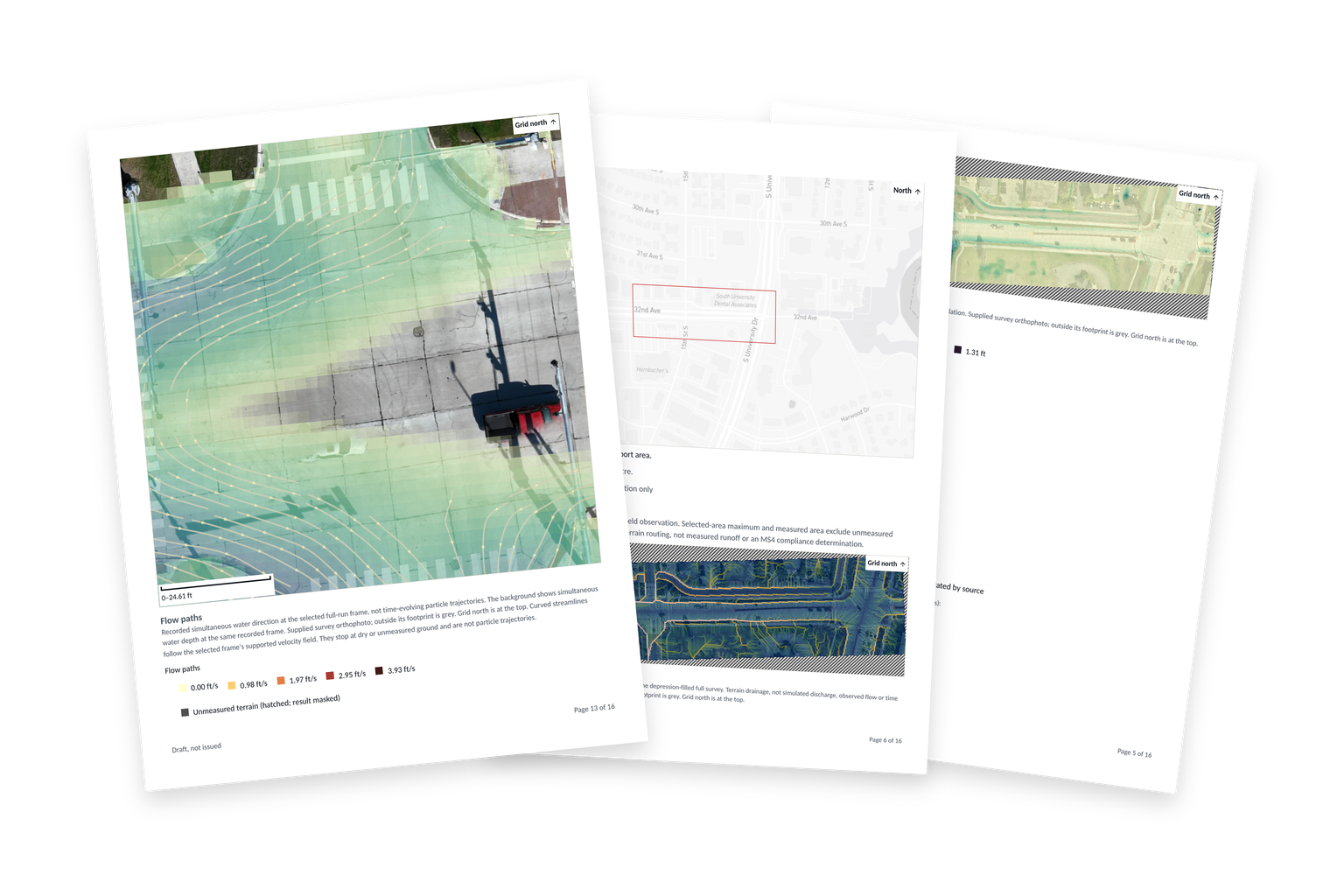
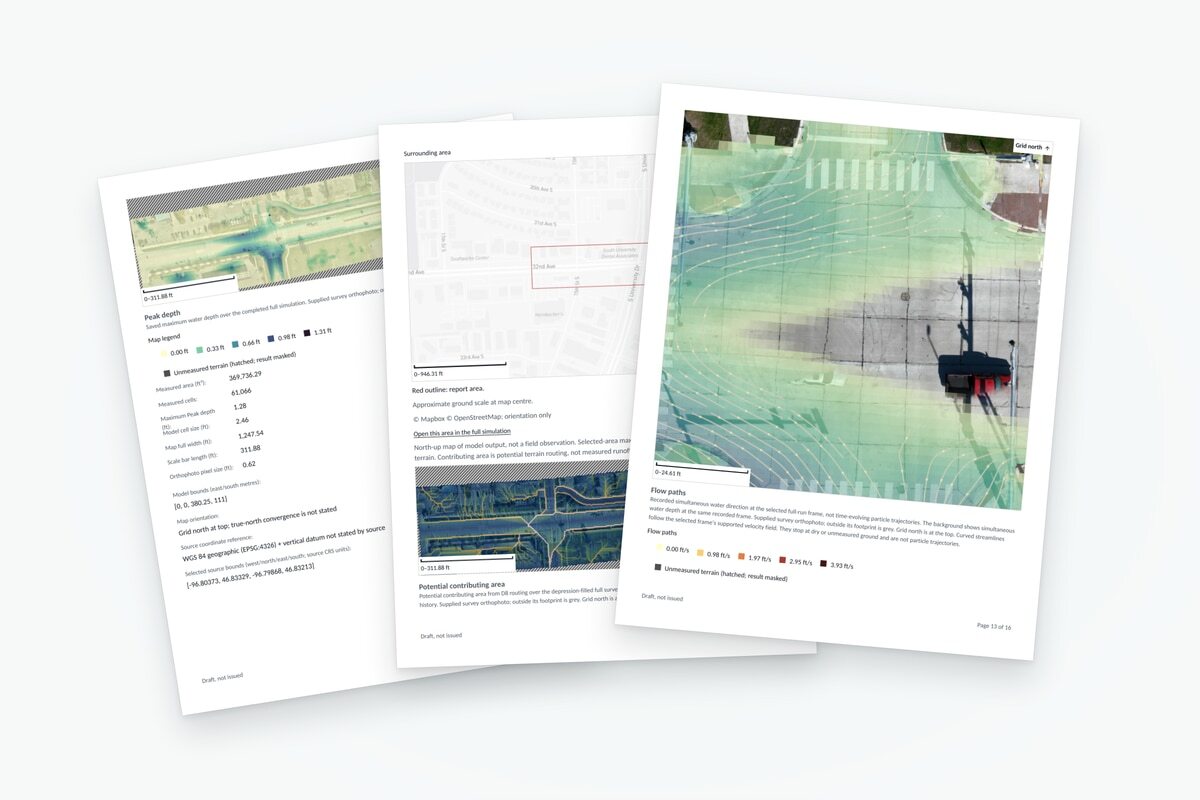
Application-exported report pages with the flow-path map in front, context and depth maps behind, on a transparent background.
Draft report example.Imagery: Northern Drone

Deploy where you need it.

Run edge AI with open models, including networks without outside access.

CloudOn-premisesClosed network
Request a workspace

For field crews and project teams

Field capture, site analysis and reporting in one workspace.

BaseState brings imagery, LiDAR, and field observations together so field crews and project teams can inspect a site, explore stormwater scenarios, and prepare a report.

Start with one project. Onboarding by invitation.
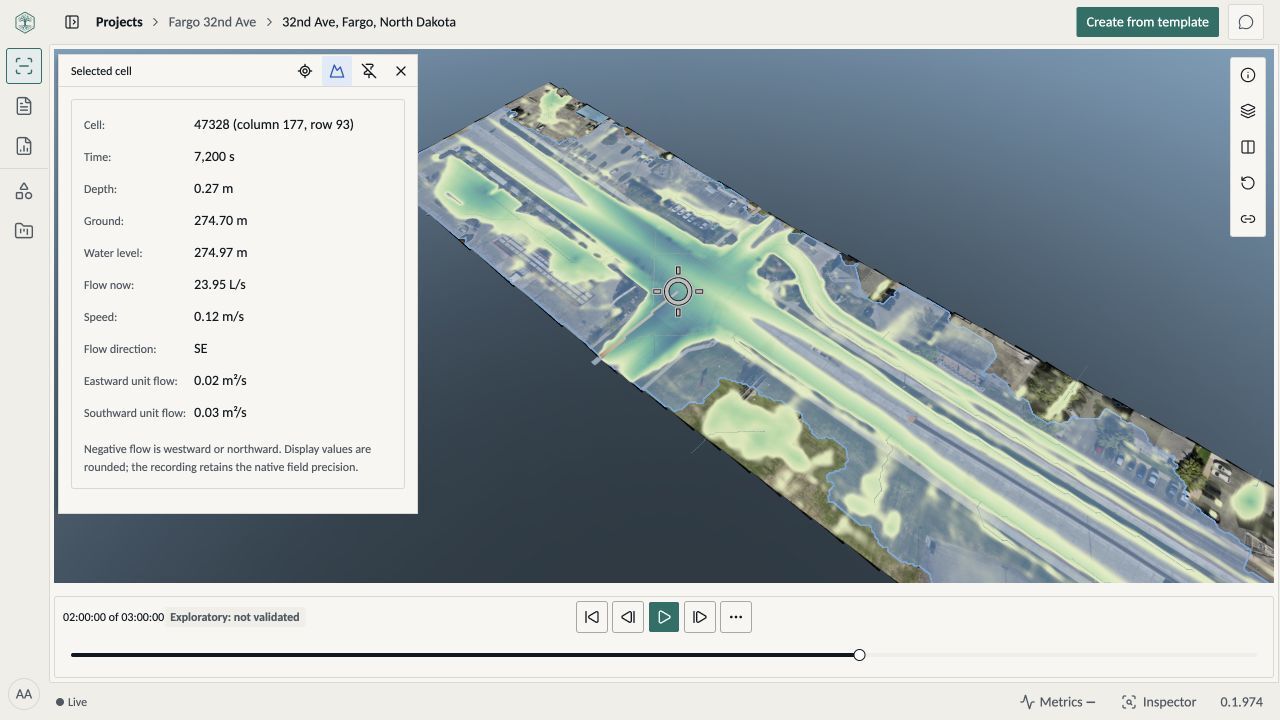
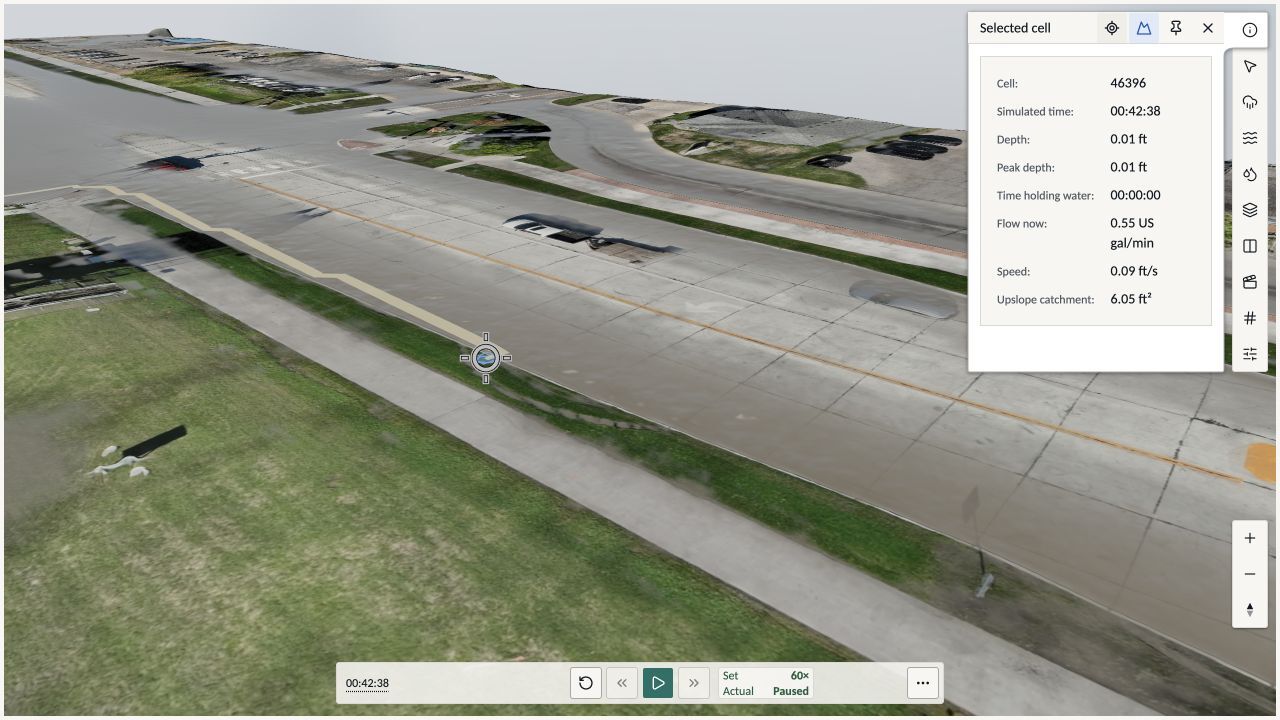
BaseState workspace showing the completed flood model on Northern Drone’s 32nd Avenue survey, with a selected crossing cell’s depth and flow measurements.
BaseState workspace · Recorded flood result on Northern Drone’s 32nd Avenue survey

From field capture to the next decision.

Actual BaseState and Rogue Cortex capture demonstration showing the map, drone video, mission status, and telemetry.

Collect and hand off

Bring your crew’s imagery and notes into one project for the team taking over.

BaseState + Rogue Cortex capture demonstration
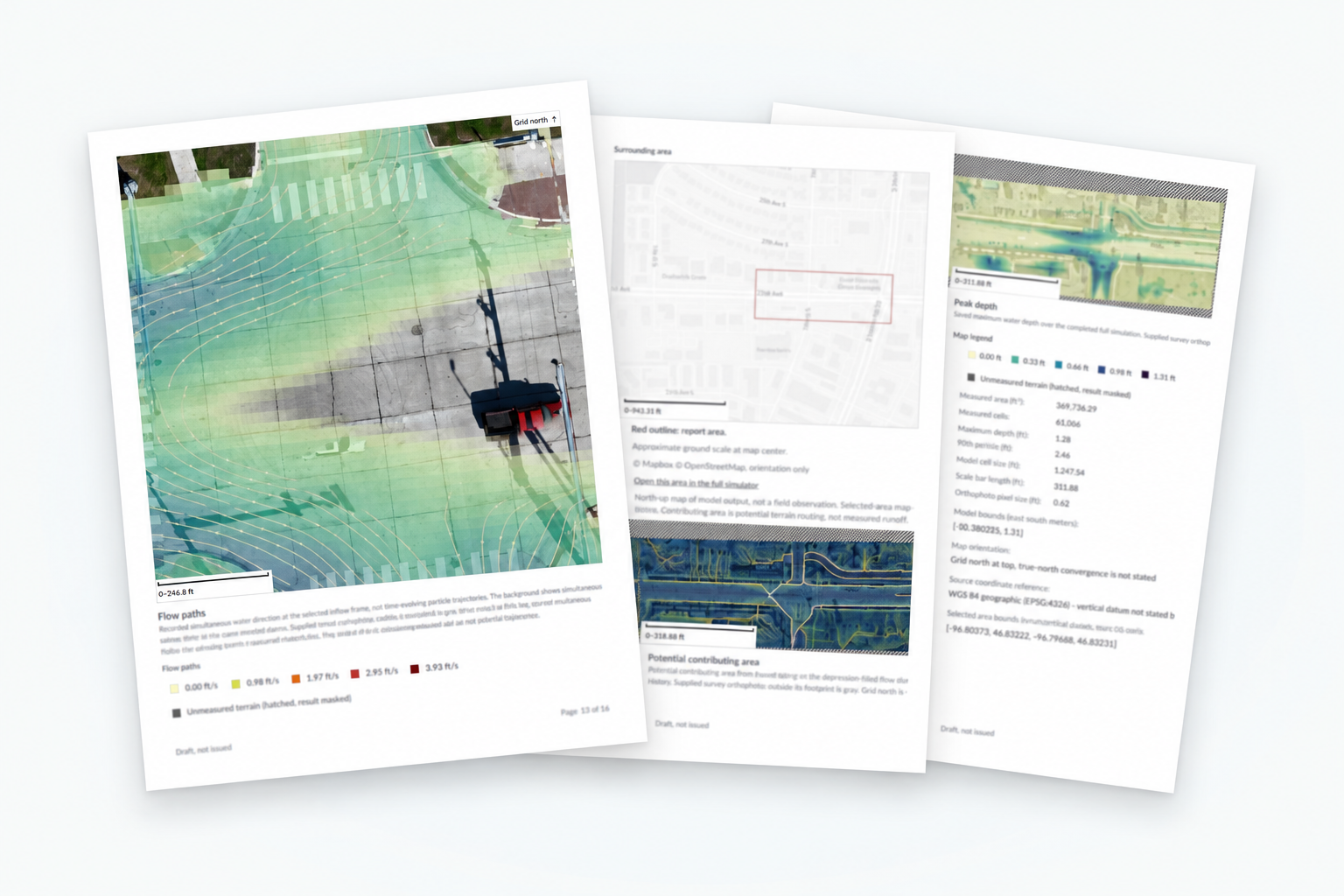
Existing BaseState report example with site maps, findings, and simulation results.

Analyze and deliver

Explore the site, work through observations, and prepare the client report.

Example BaseState stormwater report

See. Decide. Act. Remember.

Where is water held up beside the access road, and what changes when a culvert crosses it?


  1. See

    Where is water collecting? Follow the rainfall to the low ground beside the access road.

  2. Decide

    Would a culvert help? Inspect how the modeled water moves when a culvert crosses the road.

  3. Act

    What should the team inspect next? Carry the location, measurements and findings into the site review.

  4. Remember

    What did we learn? Keep the survey, assumptions and findings together for the next visit.

Start small. We’re here to help.

Get help with data intake, the handoff, analysis, and reporting. Build a repeatable workflow as your team grows.

Request a workspace

For field teams and the teams using their data

From fieldwork to client-ready answers.

Collect and hand off imagery, or take the project through analysis and reporting. Bring mobile captures, drone surveys, LiDAR, and existing site data into one workspace.

¹ Start with one project. Work solo or with a crew. Onboarding by invitation.

Start where your work starts.

Use BaseState for the part you handle. Connect the handoff when another team takes over.

Collect and hand off

Bring your field crew’s imagery, notes, and survey data into the project for the client or team taking the next step.

Run the full project

Bring in the data, explore the site, work through observations, and prepare the client deliverable—on your own or with others.

One loop, from capture to customer feedback.

Your people make every call.

  1. Send autonomous missions through our Rogue Cortex integration, or upload what you already have: drone surveys, LiDAR, photos and site records.

    You
    Fly it, or upload it.
    BaseState
    Bring it together on one site and match each photo to the asset it shows, beyond geotags.

    With Rogue Cortex

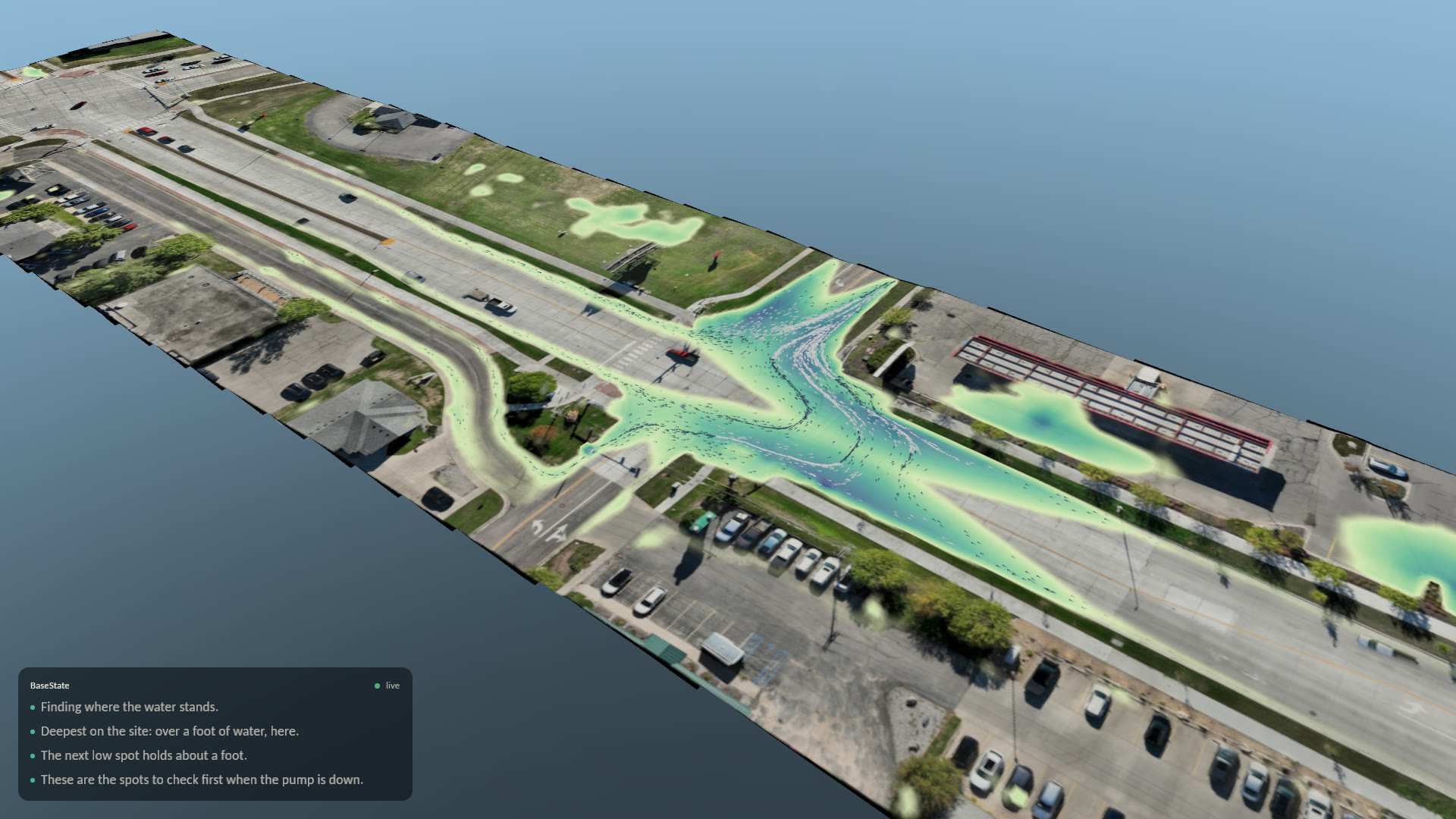
  2. In minutes, the survey becomes ground you can simulate on, live. Ask a question and get the answer in real time, without waiting on a batch run.
    You
    Ask what the next storm will do.
    BaseState
    Run it live and show where water goes, how deep it gets and what drains to it.

    Survey by Northern Drone

  3. Reports compose themselves from the survey, the simulation and your team's findings, in the format your customer expects.
    You
    Pick a template, or ask for the report you need.
    BaseState
    Compose it from the evidence and the analysis behind it.
  4. Check every statement against the sources it came from before anything leaves the building.
    You
    Review, correct and sign.
    BaseState
    Show the source behind each figure and keep a verifiable record of what was signed.
  5. Print it, email the PDF, or send a live link where your customer explores the report and leaves feedback.

    You
    Send it the way your customer wants it.
    BaseState
    Bring their feedback back into the project, so the next pass starts from it.

    ↻ Their feedback starts the next pass.

01 / 05

Missions planned in Fargo, North Dakota, sent through our Rogue Cortex integration and flown autonomously in Fremont, California.

  1. Capture

    Send autonomous missions through our Rogue Cortex integration, or upload what you already have: drone surveys, LiDAR, photos and site records.

    You
    Fly it, or upload it.
    BaseState
    Bring it together on one site and match each photo to the asset it shows, beyond geotags.
    BaseState mission planning beside live drone video and telemetry from the autonomous flight.
    Missions planned in Fargo, North Dakota, sent through our Rogue Cortex integration and flown autonomously in Fremont, California.

    With Rogue Cortex

  2. Simulate

    In minutes, the survey becomes ground you can simulate on, live. Ask a question and get the answer in real time, without waiting on a batch run.

    You
    Ask what the next storm will do.
    BaseState
    Run it live and show where water goes, how deep it gets and what drains to it.
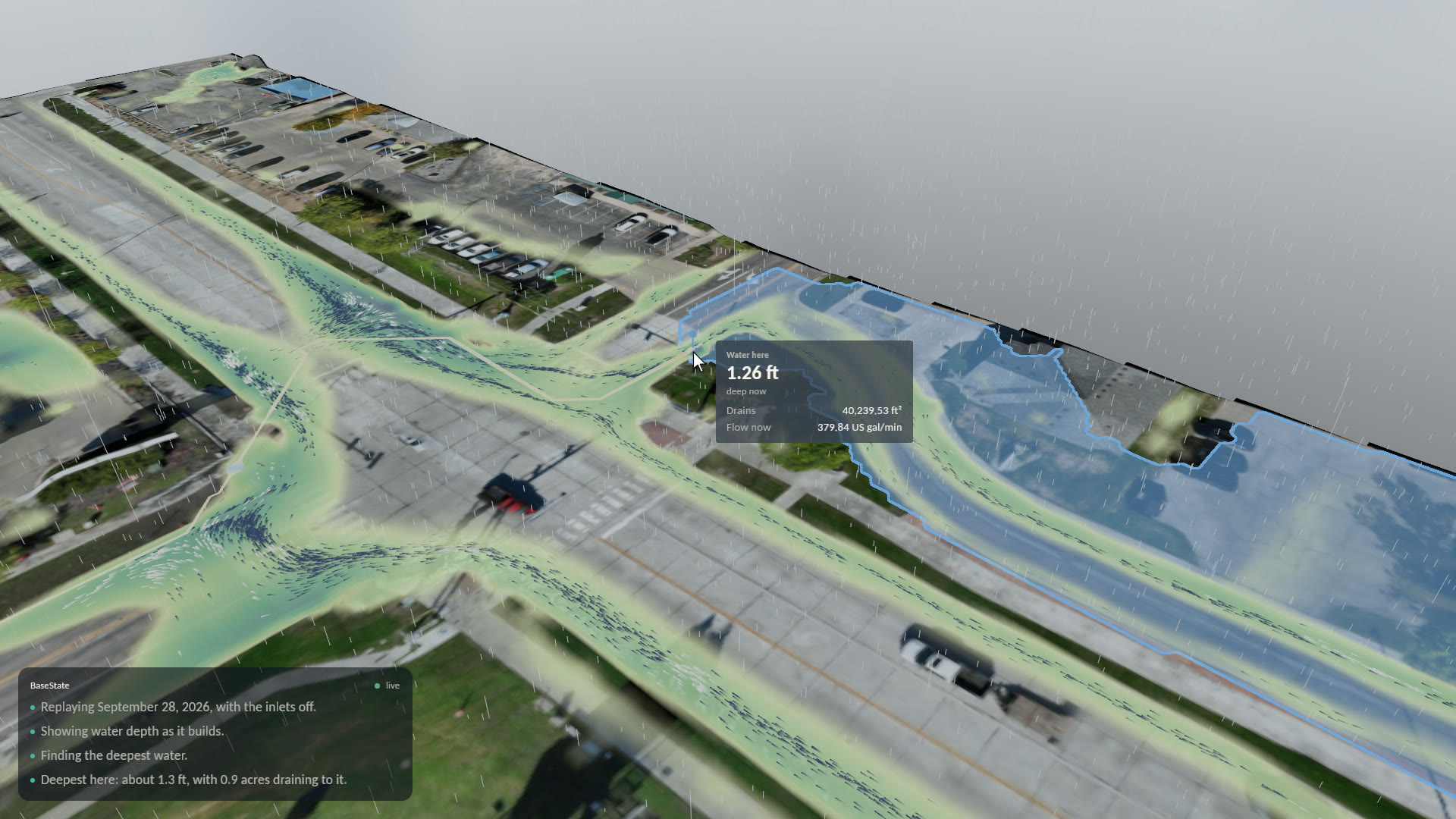
    BaseState simulation of the September 28, 2026 storm on 32nd Avenue in Fargo.
    September 28, 2026, replayed with the pump down, driven by an AI assistant. Survey by Northern Drone.

    Survey by Northern Drone

  3. Report

    Reports compose themselves from the survey, the simulation and your team's findings, in the format your customer expects.

    You
    Pick a template, or ask for the report you need.
    BaseState
    Compose it from the evidence and the analysis behind it.
    A stack of BaseState report pages with site maps and findings.
    Example report pages.
  4. Validate

    Check every statement against the sources it came from before anything leaves the building.

    You
    Review, correct and sign.
    BaseState
    Show the source behind each figure and keep a verifiable record of what was signed.
    BaseState readout at the deepest spot on 32nd Avenue: 1.26 feet of water, 40,240 square feet draining to it, with the drainage area highlighted.
    The deepest spot on Northern Drone's 32nd Avenue survey: its depth, the area draining to it and the flow, read from the model.
  5. Deliver

    Print it, email the PDF, or send a live link where your customer explores the report and leaves feedback.

    You
    Send it the way your customer wants it.
    BaseState
    Bring their feedback back into the project, so the next pass starts from it.
    An example BaseState stormwater report with site maps and simulation results.
    Example report. © 2026 BaseState, Inc.

    ↻ Their feedback starts the next pass.

From the field

See the workflow in the field.

Autonomous capture. Live simulation. Real surveys.

Built for the field

Take in anything. Go beyond geotags.

Fly with your own crews, send autonomous missions, or upload what you already have. BaseState brings it together on one site and matches each image to the asset it shows, beyond geotags. Its AI works through the same tools your team uses, and your people make every call.

Request a workspace

One small site-survey project

See. Decide. Act. Remember.

A property owner wants to understand where water collects on a site. Start with an existing survey and field observations.

See

  • Bring the site into view

    Upload imagery, LiDAR, terrain, and field observations. Open the data in the 3D scene. Hand it off here, or keep working.

Decide

  • Work through the question

    Explore the site and the simulation. Ask AI questions and compose observations, with one person or several working together in real time.

Act · Remember

  • Create the client deliverable

    Ask AI to draft a report for your purpose. Refine the content, save a template for next time, and export a PDF.

One project, from fieldwork to delivery.

Follow the data into the scene, through shared observations, and into a report for the client.

Draft recording placement: The app walkthrough is scripted for recording. The report image below is an existing example.

Existing BaseState stormwater report example, with site maps and simulation results.
Example BaseState stormwater report.

Start with one project.

Powerful tools for the team you have today—and the work you take on next.

Can we just collect and hand off data?

Yes. Use the project for your crew’s imagery and field data, then hand the work to the team doing the review and analysis.

Can I work on my own?

Yes. Take a project from existing data to a report yourself, and bring others in when you need them.

Where does your team help?

Contact us when you need help with data intake, the handoff, analysis tools, or preparing the deliverable.

Where it fits

One connected workflow. Different field operations.

Use BaseState for the full path from inspection planning to reporting, or fill a specific gap in the systems your team already runs.
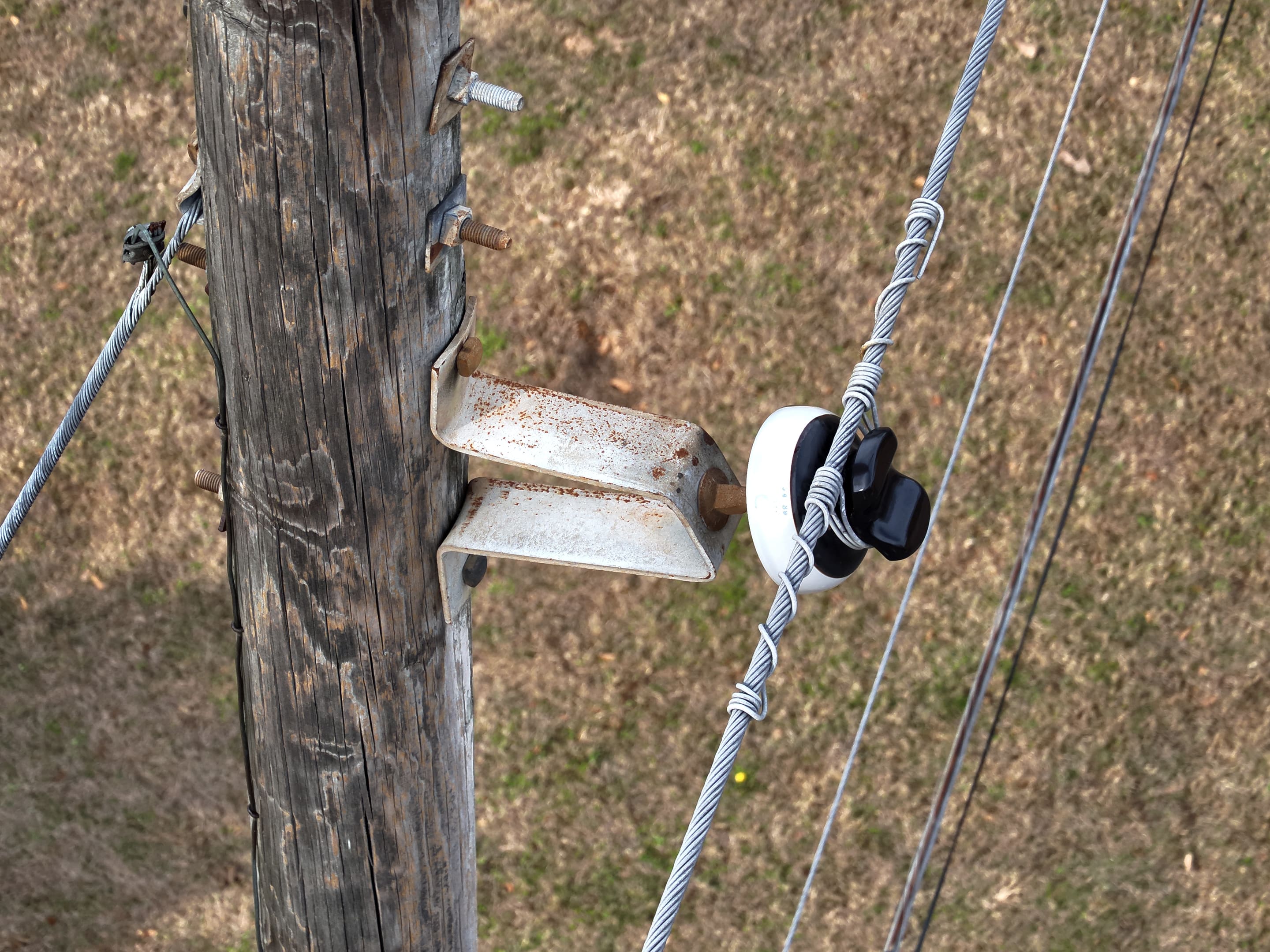
Drone close-up of a pole crossarm bracket and insulator with tie wire.

Utilities

Every pole's photos, findings, and history in one place, next to the systems you already run.

BaseState for utilities
BaseState inspection planning connected to Rogue Cortex autonomous drone capture.

Drone service providers

Plan capture, inspect the evidence, and deliver reviewed results across your clients’ sites.

BaseState for drone firms
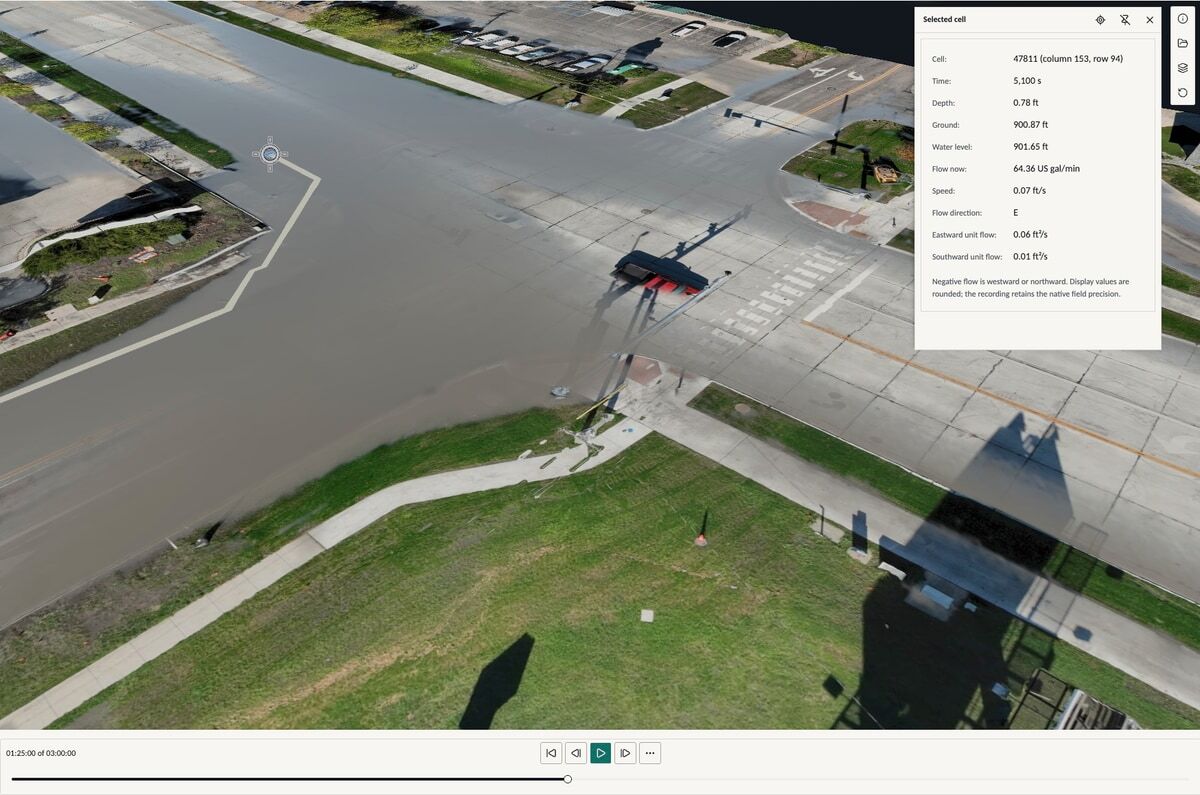
Current BaseState stormwater analysis on surveyed terrain.

By invitation

Sites & stormwater

Analyze surveyed ground with real-time stormwater simulation and bring the results into a report.

See the simulation

Coming soon

Higher education

Research tooling for labs and field programs, on one model of the lab’s work. Higher-education pricing.

Your industry

Don't see yours? Our engineers build it with you on the same platform, in your vocabulary.

Build with BaseState
Talk to the founders.

Tell us how your team works and what gets in the way. We’ll look at the process together and see where BaseState can help.

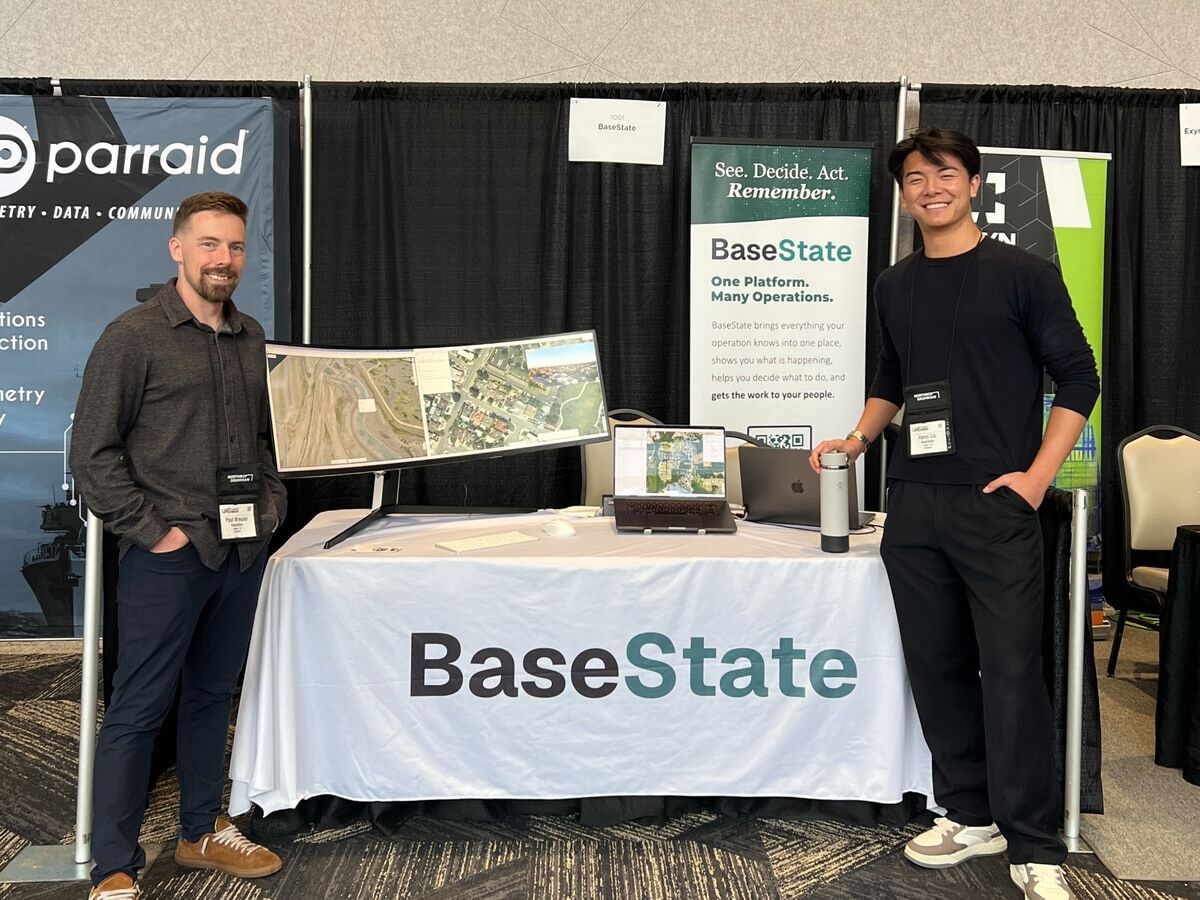
45-minute video call with Paul or Hanyi.